Product
What is Z1?
Z1 is an open-source home server operating system — two editions, one core:
| Edition | Shape | For |
|---|---|---|
| Z1 AI Home Server (flagship) | NAS + app platform + infrastructure services (PostgreSQL / Valkey / Mosquitto) + built-in AI assistant | One machine for the whole family's digital and AI life: data, photos, self-hosted apps, AI operations and local LLMs |
| Z1 Home NAS | Pure file-sharing core, ultra-light (optional AI assistant module) | Just a solid NAS: storage, sharing, backup — nothing else to fuss with |
Both editions are the same system (choose at install time with
NAS_EDITION=server/home), with the same panel, upgrade channel, and docs. Not sure? Install the Home Server edition — when you're not using apps it's simply a NAS; the capabilities are a strict superset.
Our philosophy: Protocols are just system capabilities; data is the core. Users should manage storage, sharing, users, permissions, and apps — not Samba, NFS, or RAID jargon. Z1 is not a Docker manager and not an app store — managed apps run as native systemd services with the panel handling install, lifecycle, the /apps/ reverse-proxy entry and SSO, without touching container orchestration.
AI is the foundation, not a gimmick
In the AI era, home data belongs at home. Z1's AI is more than a chat box — the assistant actually calls 15 system domain tools to perform operations (every write gated by confirmation), the app platform and infrastructure services (PG/Valkey) provision the runtime for self-hosted AI apps, and a local Ollama endpoint keeps conversations and family data inside your network. Cloud (DeepSeek) and local models switch in one config; the privacy trade-off is yours to make.
How Z1 Differs
| Product | Tech Route | Characteristic |
|---|---|---|
| CasaOS | Docker First | Container management focus |
| OpenMediaVault | Debian + Plugins | Rich but fragmented |
| TrueNAS SCALE | Kubernetes | Enterprise-grade, heavy resources |
| Synology DSM | Native Linux Service | Mature but closed & expensive |
| Z1 | Native Debian + Go | Native services + single-binary panel, lightweight & controllable |
Z1's chosen path:
- Debian First — Built on Debian 13, not tailored to specific hardware
- Native Linux First — Samba/NFS/SSH/SMART/mdadm/LVM/systemd/firewall all managed natively
- Go Single Binary — Panel is a single Go binary, frontend embedded, no runtime deps
- systemd First — All services managed as systemd units
- Storage First — UI/API centered on "users managing data"
Hardware Options
Standard Edition (4-Bay, x86 N150)
| Spec | Value |
|---|---|
| CPU | Intel N150 (4C4T, 3.6GHz, TDP 6W) |
| RAM | 8GB DDR5 (replaceable) |
| Network | 2×2.5GbE |
| M.2 | 1×NVMe + 1×WiFi 6E |
| Bays | 4×SATA (2.5"/3.5") |
| Cooling | Quiet fan (adjustable) |
| OS | Open-source Debian 13 + Z1 |
| BOM Cost | ~¥1,063 |
| Price | ¥699-799 |
Economy Edition (2-Bay, ARM RK3568)
| Spec | Value |
|---|---|
| CPU | RK3568 (4×Cortex-A55, 2.0GHz) |
| RAM | 4GB LPDDR4 (onboard) |
| Network | 1×Gigabit |
| Bays | 2×SATA |
| Cooling | Passive (fanless) |
| OS | Open-source Debian 13 + Z1 |
| BOM Cost | ~¥455 |
| Price | ¥299-399 |
Software is identical across hardware. ARM/x86/VM/Raspberry Pi share the same install path.
Competitor Comparison
| Dimension | Z1 Standard | UGREEN DXP2800 | Zspace Z2 Pro | Synology DS225+ |
|---|---|---|---|---|
| CPU | Intel N150 | N100 | RK3568 | N150 |
| RAM | 8GB DDR5 | 8GB DDR5 | 4GB | 4GB |
| Bays | 4 | 2 | 2 | 2 |
| Network | 2×2.5GbE | 1×2.5GbE | 1×2.5GbE | 1×1GbE |
| WiFi | WiFi 6E built-in | No | No | No |
| OS | Open-source Debian | Closed UGOS | Closed ZOS | Closed DSM |
| Docker | ✅ | ✅ | ✅ | ✅ |
| Native Services | ✅ All native | ❌ Container-first | ❌ Container-first | ✅ Native |
| Panel Open Source | ✅ AGPLv3 | ❌ | ❌ | ❌ |
| Price | ¥699-799 | ¥999 | ¥899 | ¥2,500 |
| Cost per bay | ¥175-200 | ¥500 | ¥450 | ¥1,250 |
Core Advantages
- Unbeatable Price — ¥699-799 for competitor-level specs at ¥999-2500
- More Bays — 4 bays vs competitors' 2 (same price range), RAID 5 capable
- N150 + 8GB — Newer CPU than UGREEN's N100, double the RAM of Zspace
- Dual 2.5GbE — Only dual 2.5GbE in this price range
- Open Source — Debian 13 based, customizable, no lock-in, AGPLv3
- Built-in WiFi — WiFi 6E included, competitors need USB adapters
System Architecture
Web UI (Responsive + PWA)
        │
   REST API
        │
 System Service (Go single binary)
        │
────────────────────────────────
 Storage Layer    Network Layer
 Users Layer      Apps Layer
 System Layer     Monitor Layer
────────────────────────────────
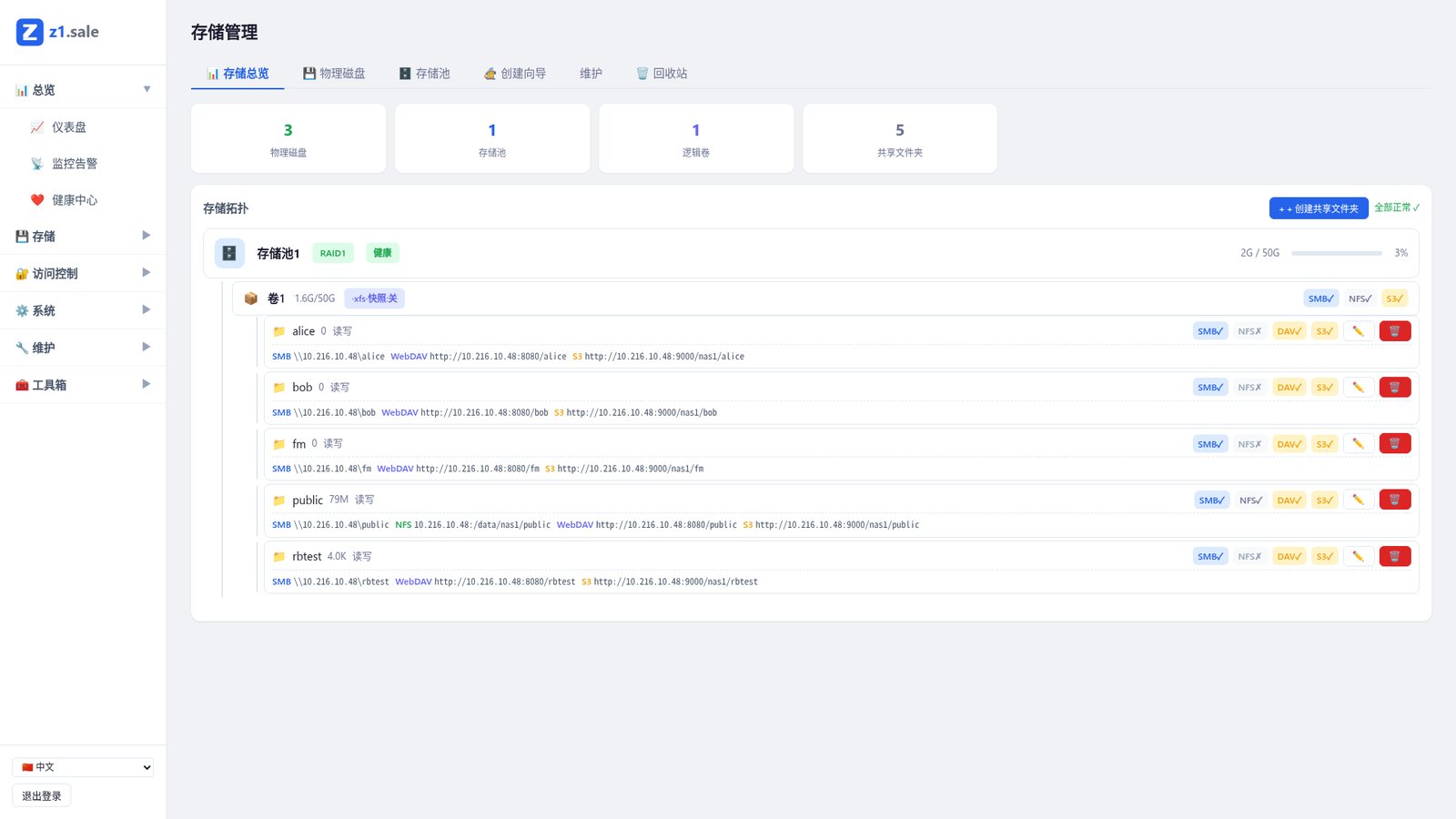
Debian 13 Linux- Storage Layer: Single LVM pool at /data/nas1 + public share + per-user homes
- Network Layer: SMB/NFS/FTP/WebDAV/SSH
- Users Layer: Users/groups/ACL/permissions
- Apps Layer: app platform (managed apps run as native systemd services; the panel handles signed install, lifecycle, the /apps/ reverse-proxy entry and SSO; external services register as portal cards)
- Infra Layer (Home Server edition): PostgreSQL / Valkey / Mosquitto, provisioning database/cache/MQTT credentials per app contract
- System Layer: Updates/logs/services/time/network
- Monitor Layer: Monitoring/alerts/SMART